
Quick Answer
For most professional workstation PCs in 2026, start with a modern AMD Ryzen 9, Intel Core Ultra 9, or AMD Threadripper CPU, an NVIDIA RTX GPU, 64GB RAM minimum, a fast 2TB NVMe SSD, a high-quality power supply, and strong cooling. For heavier workloads like AI, 3D rendering, simulation, architecture visualization, and large video projects, you may need 128GB+ RAM, more GPU VRAM, multiple SSDs, or a Threadripper-class platform.
Workstation PC Specs Are Not One-Size-Fits-All
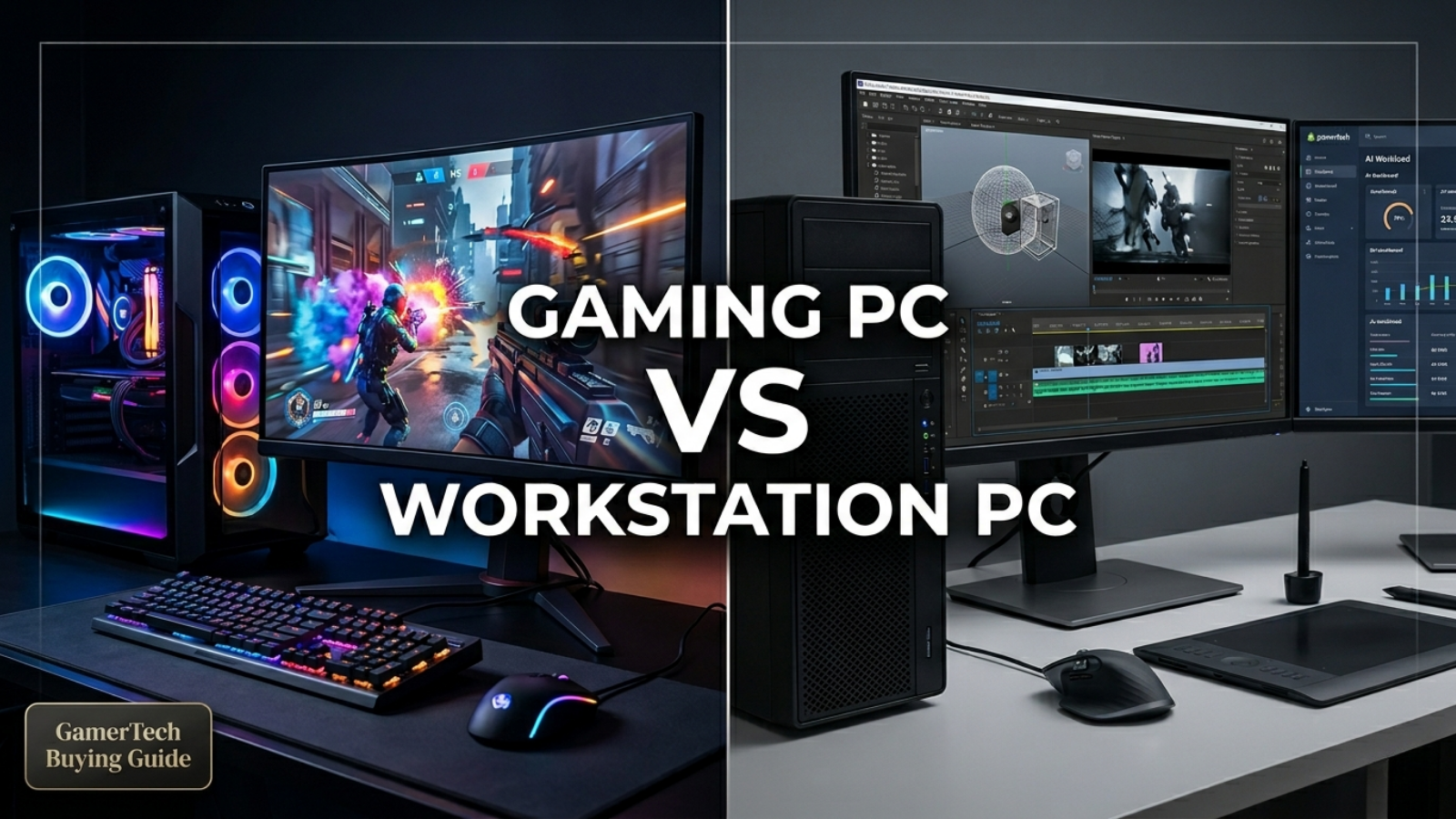
A workstation PC is not just a more expensive gaming PC.
A gaming PC is usually built around FPS. A workstation is built around workflow speed, stability, multitasking, file size, render time, VRAM, RAM capacity, and long-session reliability.
The right specs depend on the software:
- Revit and AutoCAD need strong CPU speed, RAM, and stability.
- Enscape, Lumion, D5 Render, Twinmotion, and Unreal Engine need strong GPU performance and VRAM.
- Premiere Pro and DaVinci Resolve need the right balance of CPU, GPU, RAM, and storage.
- Blender, V-Ray, Cinema 4D, and rendering workloads may need high GPU power, high CPU core counts, or both.
- Local AI and machine learning need as much GPU VRAM as the budget allows.
That is why a workstation should be configured around the actual work, not just a generic parts list.
Best Overall Workstation Specs in 2026

For most professional users, this is the best starting point:
| Component | Recommended Spec |
|---|---|
| CPU | AMD Ryzen 9 9950X / 9950X3D, Intel Core Ultra 9, or AMD Threadripper 9000 |
| GPU | NVIDIA RTX 5070 Ti / RTX 5080 / RTX 5090, or RTX PRO for certified workflows |
| RAM | 64GB DDR5 minimum, 128GB recommended for heavier work |
| Storage | 2TB NVMe SSD minimum, 4TB+ recommended for active projects |
| Motherboard | Quality AM5, Intel LGA1851, TRX50, or WRX90 board depending on CPU |
| Power Supply | 850W–1200W+ Gold/Platinum depending on GPU |
| Cooling | High-end air cooler or 360mm AIO; workstation airflow for Threadripper |
| Case | High-airflow case with enough GPU clearance |
| Operating System | Windows 11 Pro for most users; Linux for many AI/development workflows |
For a modern "do almost everything" workstation, the safest GamerTech baseline is:
Ryzen 9 + NVIDIA RTX 5080 or RTX 5090 + 64GB–128GB RAM + 2TB–4TB NVMe SSD
CPU: Ryzen 9 for Most Users, Threadripper for Heavy Workloads

The CPU matters for modeling, exporting, compiling, simulation, multitasking, CPU rendering, and general responsiveness.
For most workstation users, AMD Ryzen 9 is the sweet spot. AMD's Ryzen 9 9950X is a 16-core, 32-thread AM5 CPU with DDR5 support, PCIe 5.0 support, up to 256GB memory support, and strong all-around workstation capability.
The Ryzen 9 9950X3D is also a strong hybrid choice for users who want one PC for gaming and professional work, as AMD positions it as a 16-core CPU with 2nd Gen 3D V-Cache for demanding gamers and creators.
When Ryzen 9 Makes Sense
Choose Ryzen 9 if you do:
- Architecture and design
- Revit, AutoCAD, SketchUp, Rhino
- Adobe Premiere Pro
- Photoshop and Lightroom
- Blender modeling
- Unreal Engine projects
- Streaming and content creation
- Coding and development
- Gaming plus professional work
When Threadripper Makes Sense

Choose Threadripper if you need:
- Heavy CPU rendering
- Large code compiling
- Multiple GPUs
- Multiple NVMe drives
- ECC RDIMM memory
- More memory bandwidth
- More PCIe lanes
- Large simulations
- Serious AI or engineering workflows
AMD's Threadripper workstation platform is built for more expansion than mainstream desktop CPUs. AMD describes TRX50 as offering focused workstation performance with 4-channel memory, while WRX90 adds 8-channel memory, more PCIe 5.0 expandability, and enterprise manageability/security features.
For example, AMD's Threadripper 9980X platform supports PCIe 5.0, 92 total / 88 usable PCIe lanes, 4-channel DDR5 RDIMM memory, and ECC support enabled by default.
At the extreme high end, Threadripper PRO 9995WX offers 96 cores / 192 threads, 8-channel DDR5 RDIMM, and 148 total / 144 usable PCIe lanes, making it a true enterprise workstation-class platform.
GamerTech CPU Recommendation
| User Type | Recommended CPU |
|---|---|
| General business workstation | Ryzen 7 / Ryzen 9 |
| Architecture / design workstation | Ryzen 9 |
| Video editing workstation | Ryzen 9 or Intel Core Ultra (depending on codec) |
| 3D rendering workstation | Ryzen 9 or Threadripper |
| Unreal Engine / compiling | Ryzen 9 or Threadripper |
| AI workstation with one GPU | Ryzen 9 |
| Multi-GPU AI / rendering workstation | Threadripper or Threadripper PRO |
| Enterprise workstation | Threadripper PRO |
GPU: NVIDIA RTX Is the Safest Workstation Choice

For workstation PCs in 2026, the GPU is often just as important as the CPU, sometimes more important.
That is especially true for:
- AI and machine learning
- DaVinci Resolve
- Blender GPU rendering
- Unreal Engine
- Enscape, Lumion, D5 Render, Twinmotion
- V-Ray GPU
- 3D visualization
- Multi-monitor professional setups
The NVIDIA RTX 5090 is the top consumer GeForce option for many high-end workstations because it has Blackwell architecture and 32GB of GDDR7 memory, making it useful for AI, rendering, creative workloads, and high-end visualization.
For professional users who need much more VRAM, the NVIDIA RTX PRO 6000 Blackwell Workstation Edition has 96GB of GDDR7 memory, making it a premium option for advanced AI, rendering, data science, and professional creative workflows.
Puget Systems currently recommends NVIDIA RTX 5080 16GB and RTX 5090 32GB for generative AI, with RTX 6000 Ada 48GB or RTX PRO 6000 Blackwell 96GB for users who need more memory.
GPU Recommendations by Workload
| Workload | Recommended GPU |
|---|---|
| General workstation | RTX 5070 / RTX 5070 Ti |
| Architecture rendering | RTX 5080 / RTX 5090 |
| Video editing | RTX 5070 Ti / RTX 5080 / RTX 5090 |
| DaVinci Resolve | RTX 5080 / RTX 5090 |
| Blender GPU rendering | RTX 5080 / RTX 5090 / RTX PRO |
| Unreal Engine | RTX 5070 Ti / RTX 5080 / RTX 5090 |
| Local AI | RTX 5090 minimum for serious users |
| Professional AI / huge models | RTX PRO 6000 Blackwell |
| Certified professional workflows | NVIDIA RTX PRO series |
GeForce RTX vs RTX PRO
GeForce RTX is usually better value. It is the right choice for many creators, architects, editors, 3D artists, AI enthusiasts, and small businesses.
RTX PRO is better when you need:
- Certified professional drivers
- ECC memory
- Very high VRAM
- Enterprise stability
- Professional support expectations
- Large models or scenes
- Workstation-class reliability
For most GamerTech customers, GeForce RTX is the better performance-per-dollar choice. For enterprise, certified, or extremely VRAM-heavy workloads, RTX PRO makes more sense.
RAM: 64GB Is the New Professional Starting Point

For a gaming PC, 32GB RAM is usually enough. For a workstation PC, 32GB is often entry-level.
In 2026, 64GB RAM should be the starting point for most serious workstation builds.
Autodesk's Revit 2026 requirements list 32GB RAM or higher for typical single-model editing sessions and recommend a graphics card with at least 4GB of video memory.
For Blender, Puget Systems notes that small projects can run with 16GB, larger projects require 32GB, and many high-end artists using multiple applications need 64GB to 128GB.
RAM Recommendations
| Workload | Recommended RAM |
|---|---|
| Office / business workstation | 32GB |
| Architecture / CAD | 64GB |
| Revit / BIM / multitasking | 64GB–128GB |
| Video editing | 64GB–128GB |
| Blender / 3D work | 64GB–128GB |
| Unreal Engine | 64GB–128GB |
| Local AI | 64GB–128GB |
| Threadripper workstation | 128GB–512GB+ |
| Enterprise / simulation / large datasets | 256GB–1TB+ |
GamerTech RAM Rule
If the workstation is for professional use, start with 64GB. If the customer works with large projects, heavy multitasking, 4K/6K/8K footage, large Revit files, AI models, or complex 3D scenes, move to 128GB or more.
Storage: Use Multiple NVMe Drives When Possible

Storage affects load times, project opening, cache performance, exports, file transfers, and general workflow speed.
For workstation PCs in 2026, a single small SSD is not enough.
Recommended Storage Setup
| Drive | Recommended Use |
|---|---|
| Drive 1: 1TB–2TB NVMe | Windows, software, core applications |
| Drive 2: 2TB–4TB NVMe | Active projects, media, models, assets |
| Drive 3: 2TB–8TB SSD/NVMe | Cache, scratch, exports, datasets |
| Backup | External SSD, NAS, or cloud backup |
For video editing, Adobe's Premiere Pro recommendations include at least an 8-core CPU, enough RAM for the workflow, and hardware acceleration benefits such as Intel Quick Sync for H.264/HEVC decoding/playback.
Puget Bench for Premiere Pro recommends 32GB RAM and a discrete GPU with more than 4GB VRAM for its standard preset, or more than 8GB VRAM for its extended preset, which reinforces why storage, RAM, and GPU planning matter together in professional editing workflows.
GamerTech Storage Recommendation
For most workstation customers: 2TB NVMe minimum.
For serious professional users: 2TB OS drive + 4TB project drive + backup system.
For video editing, AI, rendering, and large design projects: separate OS, project, and cache/model drives.
Power Supply: Do Not Cheap Out

A workstation PC is often under heavy load for long sessions. That means the PSU matters.
A cheap power supply can cause instability, noise, shutdowns, and long-term reliability issues.
PSU Recommendations
| GPU / Build Type | Recommended PSU |
|---|---|
| RTX 5070 / RTX 5070 Ti workstation | 750W–850W Gold |
| RTX 5080 workstation | 850W–1000W Gold |
| RTX 5090 workstation | 1000W–1200W Gold/Platinum |
| Threadripper + RTX 5090 | 1200W+ |
| Multi-GPU / RTX PRO workstation | 1200W–1600W+ depending on configuration |
NVIDIA lists the RTX 5090 with 32GB GDDR7, Blackwell architecture, and a high-end power profile, so a workstation using this class of GPU should be planned around premium power delivery, airflow, and case clearance.
Cooling and Airflow: Workstations Need Long-Session Stability

Workstations are often used differently than gaming PCs.
A gaming workload may spike up and down. A workstation may run:
- 3D renders for hours
- AI generation overnight
- Video exports for long sessions
- Compiles repeatedly
- Simulation workloads
- Large scene previews
- Multiple apps at once
That means thermals matter.
Cooling Recommendations
| Build Type | Cooling Recommendation |
|---|---|
| Ryzen 7 / basic workstation | High-end air cooler |
| Ryzen 9 workstation | High-end air cooler or 360mm AIO |
| Ryzen 9 + RTX 5090 | 360mm AIO + high-airflow case |
| Threadripper workstation | Threadripper-class liquid cooling or workstation cooling |
| Multi-GPU workstation | Full-tower / rackmount airflow planning |
For workstation builds, quiet cooling is also important. A PC that performs well but sounds like a jet engine is not ideal for an office, studio, or client-facing workspace.
Best Specs by Workload
1. Architecture / CAD Workstation
Best for: Revit, AutoCAD, SketchUp, Rhino, Enscape, Lumion, D5 Render, Twinmotion.
| Component | Recommended Spec |
|---|---|
| CPU | Ryzen 9 9950X / 9950X3D or Intel Core Ultra 9 |
| GPU | RTX 5070 Ti / RTX 5080 / RTX 5090 |
| RAM | 64GB minimum, 128GB for large projects |
| Storage | 2TB NVMe minimum, 4TB preferred |
| Best Upgrade | More RAM + stronger GPU for rendering |
Revit's official requirements show that 32GB RAM and a GPU with at least 4GB VRAM are suitable for typical single-model sessions, but real professional architecture work often benefits from more RAM and stronger GPUs, especially when using rendering tools.
Enscape is specifically GPU-driven and recommends 8GB VRAM or more, with 12GB VRAM recommended for VR.
2. Video Editing Workstation
Best for: Adobe Premiere Pro, DaVinci Resolve, After Effects, YouTube content, commercial editing.
| Component | Recommended Spec |
|---|---|
| CPU | Ryzen 9, Intel Core Ultra 9, or Threadripper for RAW workflows |
| GPU | RTX 5070 Ti / RTX 5080 / RTX 5090 |
| RAM | 64GB minimum, 128GB for larger projects |
| Storage | Separate OS, media, and cache NVMe drives |
| Best Upgrade | GPU for Resolve, CPU/storage for Premiere depending on codec |
DaVinci Resolve benefits heavily from GPU performance, and Puget Systems currently lists the RTX 5090 as the best card for Resolve, with RTX 5070 Ti and RTX 5080 also offering strong performance.
Adobe's Premiere Pro guidance recommends an 8-core CPU and notes that Intel Quick Sync can accelerate H.264 and HEVC decoding/playback on supported Intel CPUs.
3. 3D Rendering / Blender Workstation
Best for: Blender, Cinema 4D, V-Ray, Octane, Redshift, 3ds Max, animation.
| Component | Recommended Spec |
|---|---|
| CPU | Ryzen 9 for general work; Threadripper for CPU rendering |
| GPU | RTX 5080 / RTX 5090 / RTX PRO |
| RAM | 64GB–128GB minimum for serious work |
| Storage | 2TB OS + 4TB project drive |
| Best Upgrade | GPU VRAM for GPU rendering, CPU cores for CPU rendering |
Puget Systems says Blender can function with 16GB for small projects, larger projects need 32GB, and high-end users often need 64GB to 128GB when using multiple applications.
For users who render on CPU, Threadripper makes more sense. For users who render on GPU, invest more into the GPU and VRAM first.
4. Local AI / Machine Learning Workstation
Best for: local LLMs, Stable Diffusion, AI image generation, AI development, model testing, private business AI.
| Component | Recommended Spec |
|---|---|
| CPU | Ryzen 9 for single GPU, Threadripper for multi-GPU |
| GPU | RTX 5090 32GB or RTX PRO 6000 Blackwell 96GB |
| RAM | 128GB recommended |
| Storage | 2TB OS + 4TB model/project drive |
| Best Upgrade | More GPU VRAM |
For generative AI, Puget Systems recommends NVIDIA RTX 5080 16GB and RTX 5090 32GB, with RTX PRO 6000 Blackwell 96GB for users who need more memory.
GamerTech AI Rule
For local AI, prioritize GPU VRAM first. 16GB is usable for lighter work. 32GB is much better. 96GB is professional.
5. Unreal Engine / Game Development Workstation
Best for: Unreal Engine, Unity, shader compiling, game development, virtual production.
| Component | Recommended Spec |
|---|---|
| CPU | Ryzen 9 for general dev, Threadripper for compile-heavy workflows |
| GPU | RTX 5070 Ti / RTX 5080 / RTX 5090 |
| RAM | 64GB–128GB |
| Storage | 2TB OS + 4TB project drive |
| Best Upgrade | CPU cores for compiling, GPU for viewport/lighting/rendering |
Puget Systems' 2026 Unreal Engine workstation guidance includes a programming/build workstation with Threadripper 9980X, RTX 5070 Ti, 128GB RAM, a 1TB OS NVMe drive, and a 4TB project NVMe drive, which shows how compile-heavy Unreal workflows can justify Threadripper-class hardware.
Recommended GamerTech Workstation Tiers
1. Entry Professional Workstation
Best for light CAD, office work, design, Photoshop, light editing.
| Component | Recommended Spec |
|---|---|
| CPU | Ryzen 7 / Ryzen 9 |
| GPU | RTX 5070 / RTX 5070 Ti |
| RAM | 32GB–64GB |
| Storage | 1TB–2TB NVMe |
| PSU | 750W Gold |
Best for students, light design work, business users, and smaller projects.
2. Best All-Around Workstation
Best for most professionals.
| Component | Recommended Spec |
|---|---|
| CPU | Ryzen 9 9950X / 9950X3D |
| GPU | RTX 5080 |
| RAM | 64GB DDR5 |
| Storage | 2TB NVMe + optional 4TB project drive |
| PSU | 850W–1000W Gold |
| Cooling | High-end cooling / strong airflow |
This is the best workstation spec for many architects, creators, editors, designers, developers, and small businesses.
3. High-End Creator / AI / Rendering Workstation
Best for heavy creative and technical work.
| Component | Recommended Spec |
|---|---|
| CPU | Ryzen 9 9950X / 9950X3D / 9950X3D2 |
| GPU | RTX 5090 32GB |
| RAM | 128GB DDR5 |
| Storage | 2TB OS + 4TB project drive |
| PSU | 1000W–1200W Gold/Platinum |
| Cooling | 360mm AIO + high-airflow case |
This is the sweet spot for someone who wants a very powerful single-GPU workstation without moving to Threadripper or RTX PRO pricing.
4. Threadripper Workstation
Best for CPU-heavy work, expansion, and serious production.
| Component | Recommended Spec |
|---|---|
| CPU | Threadripper 9960X / 9970X / 9980X |
| GPU | RTX 5080 / RTX 5090 / RTX PRO |
| RAM | 128GB–256GB RDIMM |
| Storage | Multiple NVMe SSDs |
| PSU | 1200W+ |
| Cooling | Threadripper-class cooling |
Choose this if the workload can actually use the cores, memory bandwidth, PCIe lanes, and expansion.
5. Professional RTX PRO / Enterprise Workstation
Best for certified workflows, AI, large scenes, large models, and enterprise teams.
| Component | Recommended Spec |
|---|---|
| CPU | Threadripper PRO 9000 WX |
| GPU | RTX PRO 6000 Blackwell 96GB |
| RAM | 256GB–1TB+ RDIMM |
| Storage | Multiple NVMe drives + backup |
| PSU | 1200W–1600W+ |
| Platform | WRX90 |
This is for businesses, studios, labs, engineering teams, AI teams, and advanced visualization users.
What Specs Should You Avoid in 2026?
Avoid 16GB RAM for professional work
16GB is no longer ideal for serious workstation use. It can work for light tasks, but it limits multitasking and larger projects.
Avoid 8GB GPUs for serious workstation use
8GB VRAM can work for light work, but it is not ideal for professional 3D, rendering, AI, or large creative projects.
Avoid weak power supplies
Workstations should be built for stability. A low-quality PSU is not worth the risk.
Avoid poor airflow cases
A workstation should be cool and quiet under long workloads.
Avoid overspending on CPU while underbuying GPU
Many modern workflows are GPU-heavy. A balanced system is usually better than an overbuilt CPU with a weak GPU.
Avoid choosing parts before choosing the software
The software decides the specs. Revit, Premiere Pro, Blender, Resolve, Unreal, and AI tools all use hardware differently.
Final Verdict: What Specs Do You Need for a Workstation PC in 2026?
For most professional users, the best workstation PC in 2026 should have:
- Ryzen 9 or Intel Core Ultra 9 CPU
- NVIDIA RTX 5080 or RTX 5090 GPU
- 64GB RAM minimum
- 2TB NVMe SSD minimum
- High-quality 850W–1200W PSU
- Strong cooling and airflow
- Windows 11 Pro or Linux depending on workflow
For heavier workloads, move up to:
- 128GB+ RAM
- RTX 5090 32GB or RTX PRO 6000 96GB
- Threadripper or Threadripper PRO
- Multiple NVMe SSDs
- Enterprise-grade cooling, power, and airflow
At GamerTech, we would recommend building the workstation around your actual workflow, not just the most expensive parts. A Revit workstation does not need the same specs as a local AI machine. A video editing PC does not need the same specs as a CPU rendering workstation. A Blender artist does not always need Threadripper if they render mainly on GPU.
The best workstation PC is the one that saves time, stays stable, runs quietly, handles your projects properly, and gives you room to grow.
If you are building a custom workstation in Canada, GamerTech can help you choose the right CPU, GPU, RAM, storage, cooling, power supply, and case airflow setup for your exact software and workload.
FAQ
What specs do I need for a workstation PC in 2026?
Most professionals should start with a Ryzen 9 or Intel Core Ultra 9 CPU, NVIDIA RTX GPU, 64GB RAM, 2TB NVMe SSD, quality PSU, and strong cooling. Heavier workloads may need 128GB RAM, RTX 5090 or RTX PRO graphics, and Threadripper.
Is 32GB RAM enough for a workstation?
32GB is enough for light professional use, but 64GB is a better starting point for serious workstation use in 2026. For large projects, rendering, video editing, AI, and multitasking, 128GB is safer.
Do I need Threadripper for a workstation?
Not always. Most users are better served by Ryzen 9. Threadripper makes sense for CPU rendering, compiling, simulation, multiple GPUs, large memory capacity, and heavy workstation expansion.
Is RTX 5090 good for workstation use?
Yes. The RTX 5090 is a strong high-end workstation GPU for AI, rendering, visualization, video editing, and creative work because it has 32GB GDDR7 memory and NVIDIA's Blackwell architecture.
When should I buy RTX PRO instead of GeForce RTX?
Choose RTX PRO when you need certified professional drivers, ECC memory, very high VRAM, professional support expectations, or enterprise workstation reliability. For most creators and small businesses, GeForce RTX is better value.
How much storage does a workstation need?
A serious workstation should have at least a 2TB NVMe SSD. For professional work, a better setup is a separate OS drive, project drive, and cache/export/model drive.
What GPU do I need for local AI?
For serious local AI, start with 16GB VRAM minimum. The RTX 5090 32GB is a strong high-end consumer choice, while RTX PRO 6000 Blackwell 96GB is a premium professional option.
What specs do architects need?
Most architects should use a Ryzen 9 or Intel Core Ultra 9 CPU, RTX 5070 Ti / RTX 5080 / RTX 5090 GPU, 64GB RAM, and fast NVMe storage. Rendering-heavy architects should prioritize GPU power and VRAM.
What specs do video editors need?
Most video editors should use a strong CPU, NVIDIA RTX GPU, 64GB RAM, and separate NVMe drives for OS, media, and cache. DaVinci Resolve users should prioritize GPU performance more heavily than many Premiere Pro users.
Does GamerTech build workstation PCs?
Yes. GamerTech builds custom workstation PCs for architecture, video editing, AI, machine learning, rendering, engineering, Unreal Engine, design, and business workloads. See our workstation hub, architects guide, AI buying guide, and 3D rendering guide.
Build Your Workstation With GamerTech
Every GamerTech build comes with a 1-year warranty, lifetime technical support, and free shipping to all Canadian provinces.
Build Your Own Workstation Workstation Buying Guide
Call (905) 247-7085 · 10-470 North Rivermede Road, Vaughan, Ontario