
GamerTech
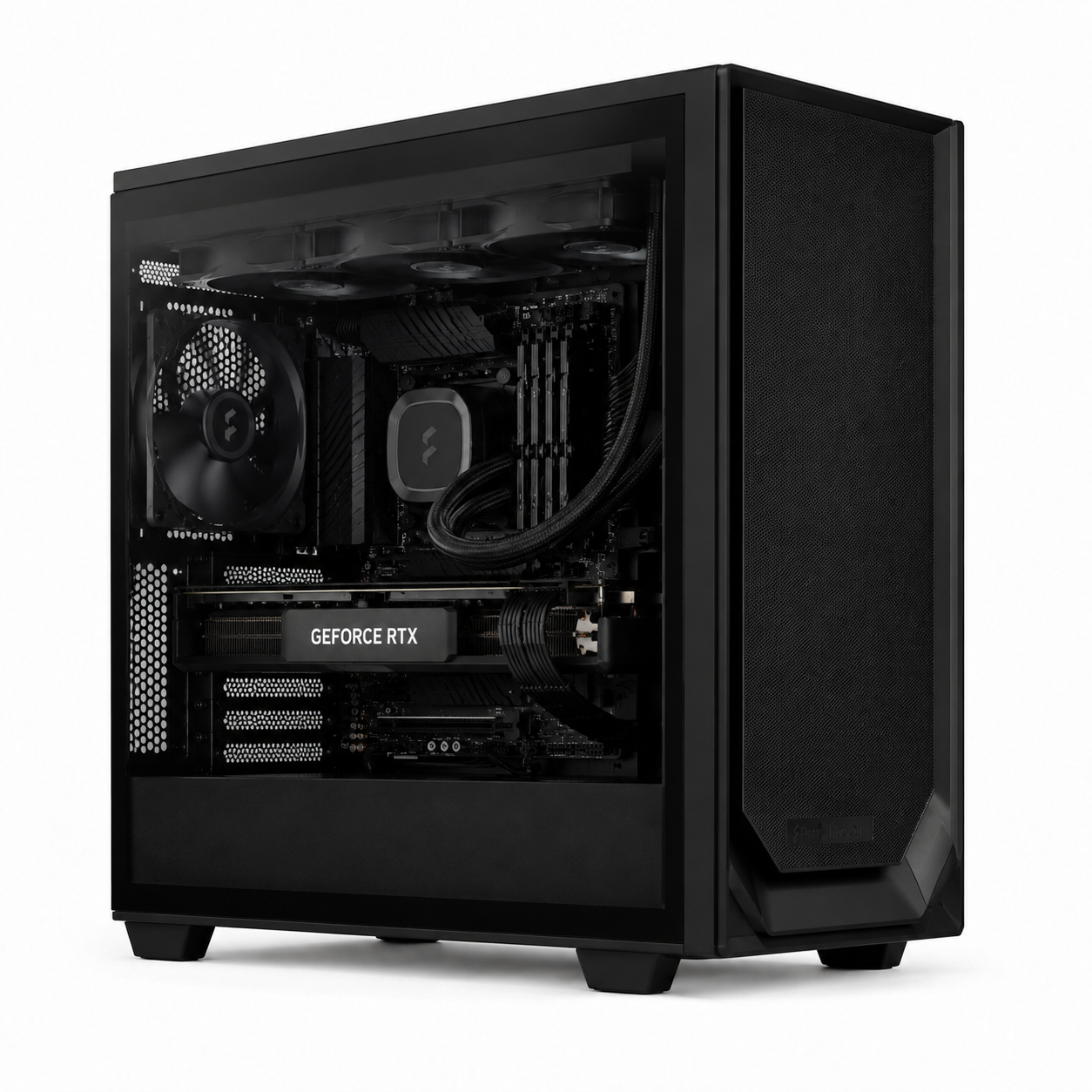
Studio Creator Workstation | Intel Core Ultra 9 285K | RTX 5080 | Custom Built Computer

GamerTech
Studio Creator Workstation | Intel Core Ultra 9 285K | RTX 5080 | Custom Built Computer

Studio Creator Workstation | Intel Core Ultra 9 285K | RTX 5080 | Custom Built Computer
GamerTech Head Office
470 North Rivermede Road
Vaughan ON L4K 3R8
Canada
Best for: Multi-app studio pipelines (Resolve + Substance + Octane open at once), 4K and 8K multi-track editing, heavy Lightroom catalogs, large local LLM inference via system-RAM offloading, and creator workflows where running out of system memory is the everyday bottleneck.
Built around Intel's flagship Arrow Lake desktop CPU — the Core Ultra 9 285K with 24 cores (8P + 16E) on Intel 20A — paired with an NVIDIA RTX 5080 (16 GB GDDR7) and 96 GB of DDR5 RGB memory. The big memory pool removes paging on multi-track timelines, allows large language models to run via partial CPU offloading, and lets you keep several heavy GPU-accelerated apps open without swapping. Hand-built in Vaughan, Ontario. Same-day pickup or free Canada-wide shipping.
What's Inside
| Component | Specification |
|---|---|
| CPU | Intel Core Ultra 9 285K — 24 Cores (8P + 16E), Intel 20A Process, 5.7 GHz Boost |
| CPU Cooler | TRYX PANORAMA SE 360 mm ARGB AIO Liquid Cooler |
| GPU | NVIDIA GeForce RTX 5080 — 16 GB GDDR7, DLSS 4, NVENC, CUDA / OptiX |
| RAM | Corsair 96 GB DDR5 RGB (2 × 48 GB) — Vengeance RGB Light Enhancement kit |
| Storage | 1 TB M.2 NVMe SSD Gen 4 |
| OS | Windows 11 Pro — pre-installed and activated |
| Warranty | 1 Year Parts + Labour (GamerTech) |
| Shipping | Free Canada-wide. Same-day pickup: Vaughan, ON |
The System-Memory Workstation
Most creator builds get sized around GPU VRAM. This one is sized around system memory — because for many real studio pipelines, that's where the wall actually is. Running DaVinci Resolve, Substance 3D Painter, Octane viewport, and Photoshop simultaneously eats 50–80 GB before you've even loaded a project. An 8K multi-camera DaVinci timeline with smart-cache enabled wants 60+ GB on its own. Local LLM tools (LM Studio, Ollama, llama.cpp) let you offload model layers from GPU to system RAM, letting a 16 GB-VRAM card run models that would otherwise need a $5,000+ GPU. The RTX 5080's 16 GB of GDDR7 still handles SDXL, Flux, 4K editing, Blender Cycles, and Unreal Engine 5 at high quality — but the 96 GB of DDR5 is what makes this build feel like a "real" studio workstation rather than a single-app machine.
Who Buys This
This workstation is for: Studio editors with multi-app pipelines (Resolve + Substance + Houdini open at once). Videographers cutting 8K multi-cam and complex Fusion compositions. Photographers running 100,000+ image Lightroom Classic catalogs. AI hobbyists running larger language models via partial CPU offload. Indie 3D artists juggling scene preview, painting, and shading apps simultaneously. Anyone who closes apps because they "ran out of RAM".
Not the right fit if: Your bottleneck is single-GPU VRAM — Flux full-resolution training, 32 GB-scene Octane rendering, 70B+ language models that need RTX PRO VRAM. For those workloads, step up to our RTX 5090 Creator & AI Workstation. You need ECC memory or RTX PRO driver certification — see our Threadripper PRO workstation builds.
Workload Performance
| Workload | Performance |
|---|---|
| Multi-App Pipelines (Resolve + Substance + Octane) | Excellent — 96 GB system RAM is the unlock |
| 4K Multi-Track Editing (DaVinci, Premiere) | Excellent — smart cache stays in RAM |
| 8K Multi-Camera Editing | Excellent — 96 GB clears the system bottleneck |
| Large Lightroom Classic Catalogs | Excellent — 24 cores + 96 GB |
| Local LLM Inference (with CPU offload) | Excellent — fits much larger models than VRAM alone |
| AI Image Generation (SDXL, Flux) | Excellent — 16 GB VRAM handles full-res |
| 3D Rendering (Blender, Octane, Redshift) | Excellent on scenes under 16 GB VRAM |
| Streaming 4K60 + Recording | Excellent — NVENC + plenty of headroom |
| Large Scene Rendering (>16 GB VRAM) | Better on RTX 5090 (32 GB VRAM) |
| LLM Training / Fine-Tuning (large models) | Limited — see Threadripper PRO builds |
Buying Guides & Resources
Every Build. Every Time.
Frequently Asked Questions
What makes this build different from the RTX 5090 creator workstations?
Different bottleneck. The RTX 5090 builds give you 32 GB of GPU VRAM — best when your bottleneck is GPU memory (full-resolution Flux generation, larger language-model inference on a single card, 32 GB scene caches for Octane / Redshift). This Studio Creator gives you 96 GB of system DDR5 — best when your bottleneck is system memory: multiple GPU-accelerated apps open at once (DaVinci Resolve + Substance 3D + Octane), 8K multi-camera timelines, large LLM inference via partial CPU offloading, or huge Lightroom Classic catalogs. The RTX 5080 still has 16 GB of GDDR7 — plenty for SDXL, Blender Cycles, and 4K editing — so the only step-down vs the 5090 builds is the top end of GPU-only workloads.
Can 96 GB of DDR5 actually be used by creator software?
Yes. DaVinci Resolve uses system RAM for cache, smart preview, and Fusion compositions — 96 GB removes paging on multi-track 4K and 8K timelines. Lightroom Classic and Photoshop happily consume 60+ GB on heavy catalog work and large multi-layer documents. Blender uses system RAM for scene data and CPU-rendered passes. Local LLM tools like LM Studio and Ollama can offload model layers from GPU to system RAM, letting you run larger models (e.g. 70B at lower precision) than would fit in the RTX 5080's 16 GB VRAM alone.
What is the Intel Core Ultra 9 285K?
Intel's flagship Arrow Lake desktop CPU — 24 cores (8 Performance + 16 Efficient) on Intel's 20A process node with a 5.7 GHz boost. It replaces the i9-14900K naming. Strong on multi-threaded creator workloads, more power-efficient than the 14900K, and a great pairing with high-capacity DDR5 thanks to Arrow Lake's improved memory controller.
Why the RTX 5080 instead of the 5090?
Cost. This build hits the $6,999 price point — significantly below the $9,499 RTX 5090 creator builds — by pairing the RTX 5080 (16 GB GDDR7, excellent for SDXL, Flux, 4K editing, Blender Cycles, and real-time engines) with a much larger system memory pool. For most studio workloads where you're juggling apps rather than maxing out a single GPU, this is the better-value configuration.
Is this available for same-day pickup?
Yes. This workstation ships same-day from our Vaughan, Ontario facility for orders placed by 4 PM, or free Canada-wide shipping with 2–5 business day delivery.